
Ratings is the private scorebook for your Plembfin instance. It supports a 1–10 score for movies, TV shows, and episodes and keeps that score separate from provider ratings and canonical watched state.
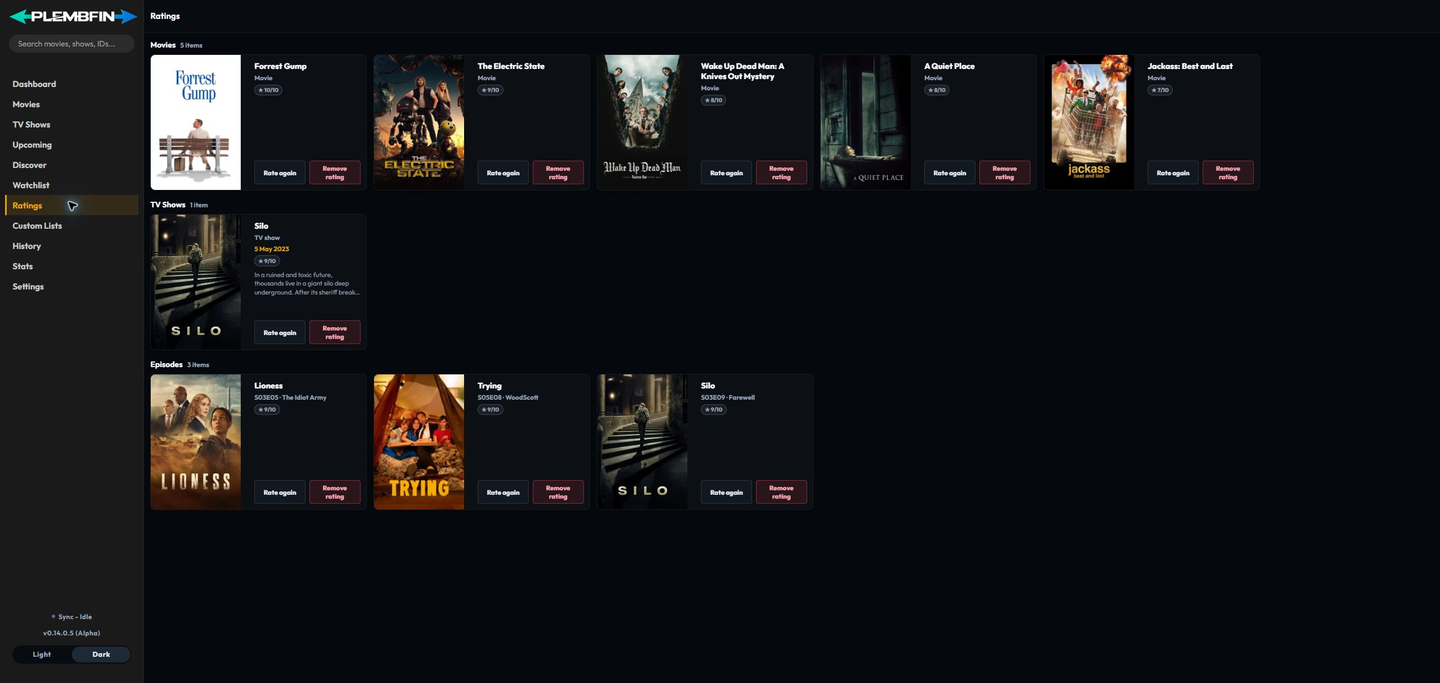
Open Ratings

Select Ratings in the sidebar. The page groups existing scores under Movies, TV Shows, and Episodes, so a show-level score is not confused with one of its episodes.
Rate a title from a card
Choose Rate on an unrated card or Rate again on a rated card. Select a value from 1 to 10 and save it. The updated score is written to Plembfin’s local private data and the card remains in its media-type group.
Rate from a detail page

On a movie or TV detail page, use the personal rating control in the media facts area. It shows the current value when one exists and opens the same 1–10 chooser when you want to change it. Episode detail and episode-card actions use the same personal rating domain. This control is distinct from TMDB, IMDb, or TheTVDB provider ratings.
Change or remove a rating
Use Rate again to replace a score. Use Remove rating to clear the personal score. Neither action removes the title from Watchlist or Custom Lists, changes watch history, or sends a watched-state correction to a connected service.
Personal Rating Sync
Rating sync is optional and disabled by default. Enable the single Sync personal ratings toggle under Settings → Sync → Personal Rating Sync to reconcile ratings with every connected Plex, Emby, Jellyfin, and Trakt account. Plembfin remains the conflict authority; newer local values win conflicts, while provider additions are imported when there is no newer local change.
The first complete provider snapshot imports existing ratings. Later complete snapshots reconcile additions, edits, and removals; a partial or failed read cannot clear the local scorebook. Local changes commit to Plembfin first and are delivered through a durable queue, so a provider outage does not roll back a rating or affect watched state.
Use Sync now for an immediate full pass. The panel reports provider status, queued work, unmatched items, reauthentication requirements, and retryable failures. Episode ratings keep their parent-show identity plus season and episode coordinates, so the same episode does not become multiple ratings when provider IDs differ.
Episode identity and groups
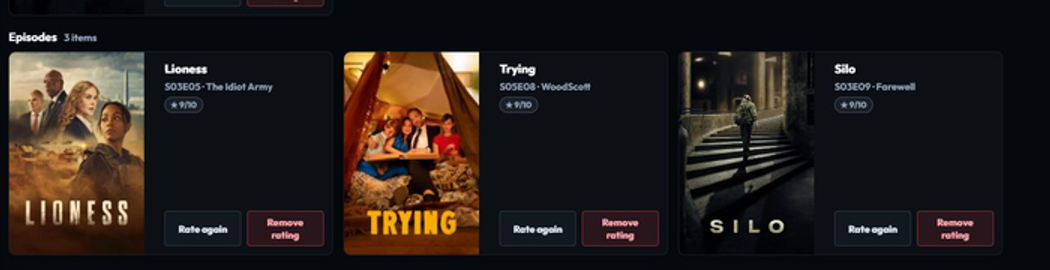
Episode scores retain the show, season, and episode coordinates. Separate provider records for the same episode therefore resolve to one personal rating rather than creating a second score for the same viewing unit.
Relationship to watched state

A rating is personal metadata. It does not mark a title watched, create a watch event, add resume progress, alter the provider match, or sync a watch-state change through Plex, Emby, Jellyfin, or Trakt.
For saving and grouping titles, see Watchlist and Custom Lists.