
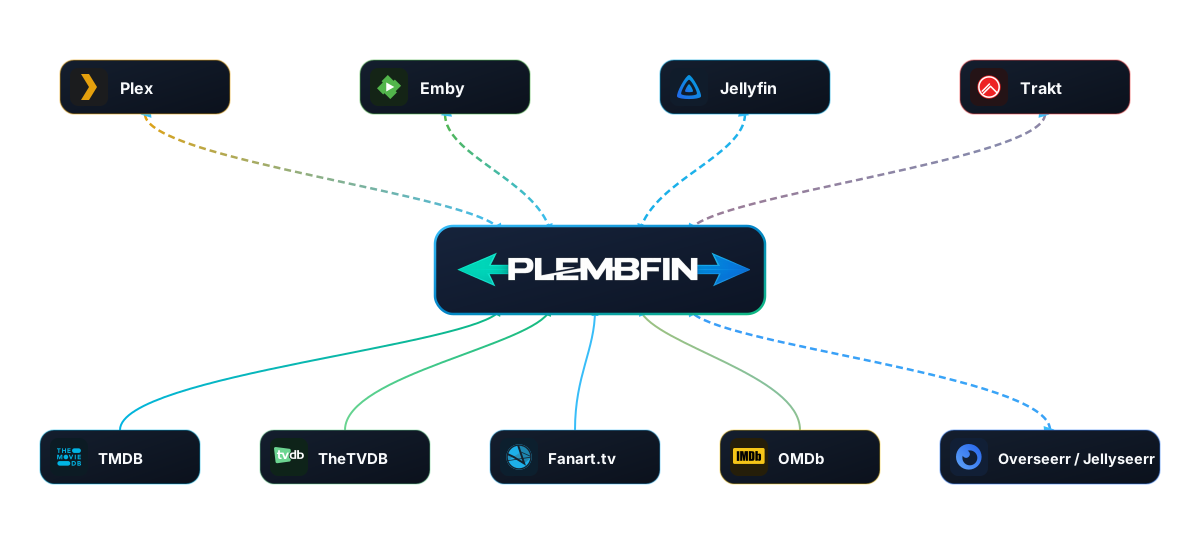
Plembfin sits between your media services.
Each service can report a watched change or resume position, but Plembfin keeps the local record that lets the rest of the stack agree. Discovery and local private actions use that same instance without becoming watched events. Personal Rating Sync and Plex Watchlist Sync are separate optional queues, with their own providers and recovery controls.
The canonical record
When Plembfin receives a valid event, it normalizes the title and identifiers, records the source, and updates local watch state.
A record can include:
- media type and canonical title;
- watch date and source platform;
- provider identifiers used for matching;
- watched/unwatched state;
- resume progress and playback duration where available; and
- the delivery history associated with the event.
The local record gives the system a stable point of comparison when a library is rebuilt, a server is temporarily offline, or two services report the same event.
A title that is not yet present in a particular library can still be recorded and applied when the media is added later.
The event lifecycle
The normal path for a watched or resume update is:
- Plex, Emby, Jellyfin, Trakt, or a Plembfin action produces an event.
- Plembfin validates the payload and normalizes its identifiers.
- The event is written to local history and playstate.
- Matching connected destinations are selected.
- Each delivery is queued with retry and duplicate protection.
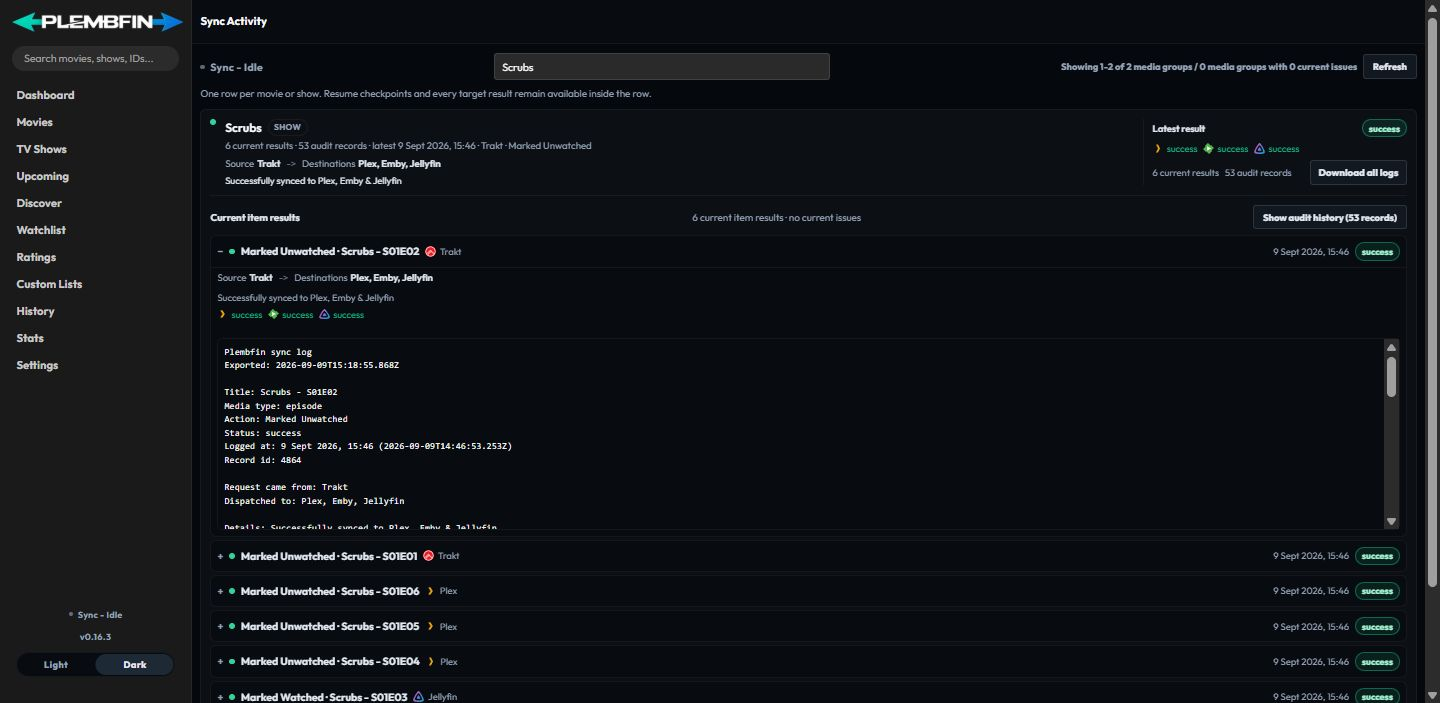
- Sync Activity records a result for every destination considered.
The result can be successful, skipped, partial, or failed.
These states describe delivery, not just the local write.
A successfully recorded event can therefore have one successful destination and one skipped destination at the same time.
Personal ratings and Watchlist changes do not enter this watched-state event path. Rating sync uses a separate queue for Plex, Emby, Jellyfin, and Trakt. Watchlist sync uses Plex’s account-level Watchlist as its only provider and keeps the local movie/show list canonical.
Watched state and resume progress
Watched state is not the same as a resume marker.
A stopped item can have a resume position without counting as watched.
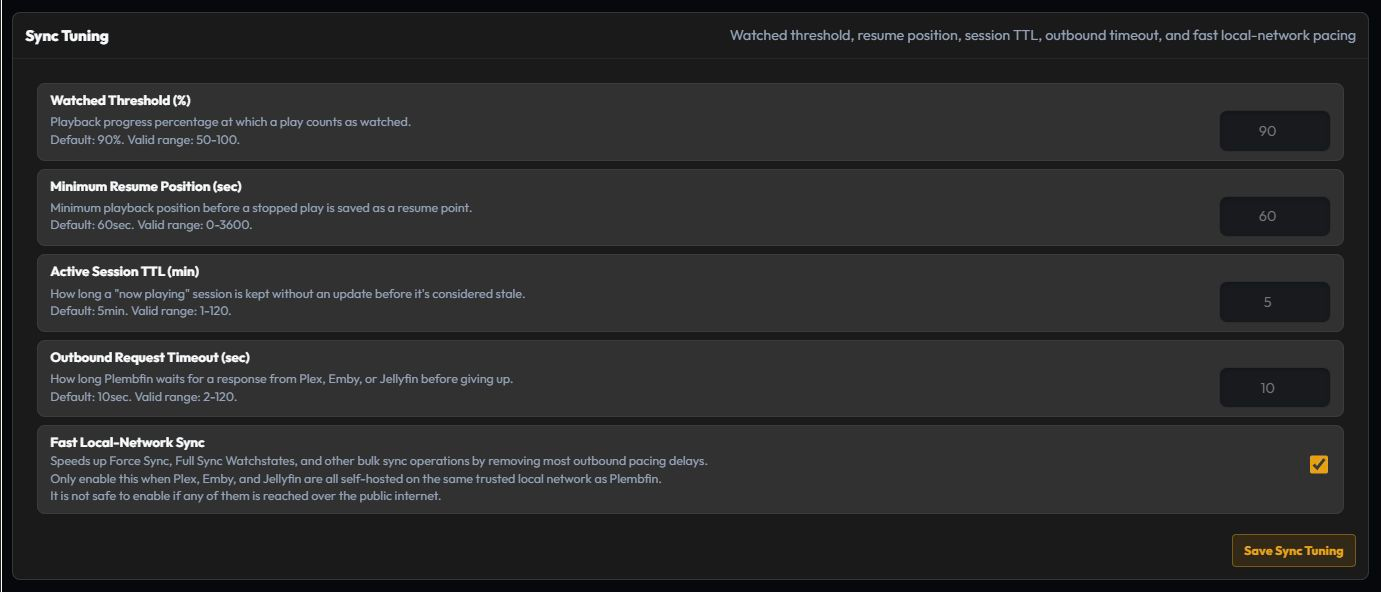
When playback passes the configured watched threshold (90% by default), Plembfin records a completed watch and propagates it.
If a media server reports Mark Played without enough timing information to choose a trustworthy watch date, the Require review policy holds the event in Manual Watch review instead. An explicit unwatched decision remains authoritative, so delayed provider flags cannot resurrect an item that was deliberately cleared.
The important precedence rules are:
- a newer completed watch is not undone by an older resume marker;
- an unwatched action can intentionally clear watched state, but it must be newer than the state it replaces;
- a resume marker needs the source’s position and duration fields; and
- a destination cannot receive a change until its item can be matched to the canonical record.
This is why a player stopping near the end and a user explicitly marking an item watched are different operations, even when they happen close together.
Rewatches and duplicate protection
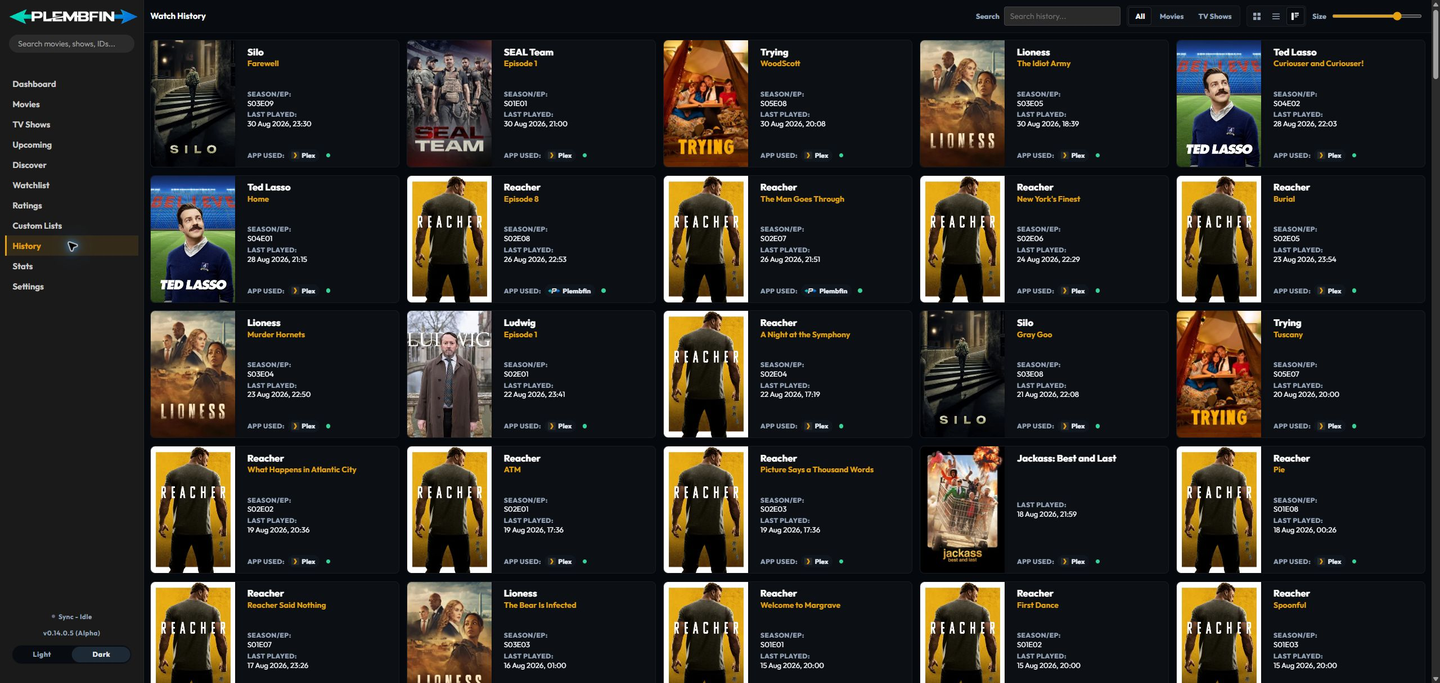
Plembfin keeps separate watch events so a real rewatch is not lost.
Duplicate delivery of the same event is collapsed instead of creating noisy history rows.
Retrying a network request is therefore safe, while a new play at a later time remains visible in History and Stats.
Webhooks, polling, and scheduled work
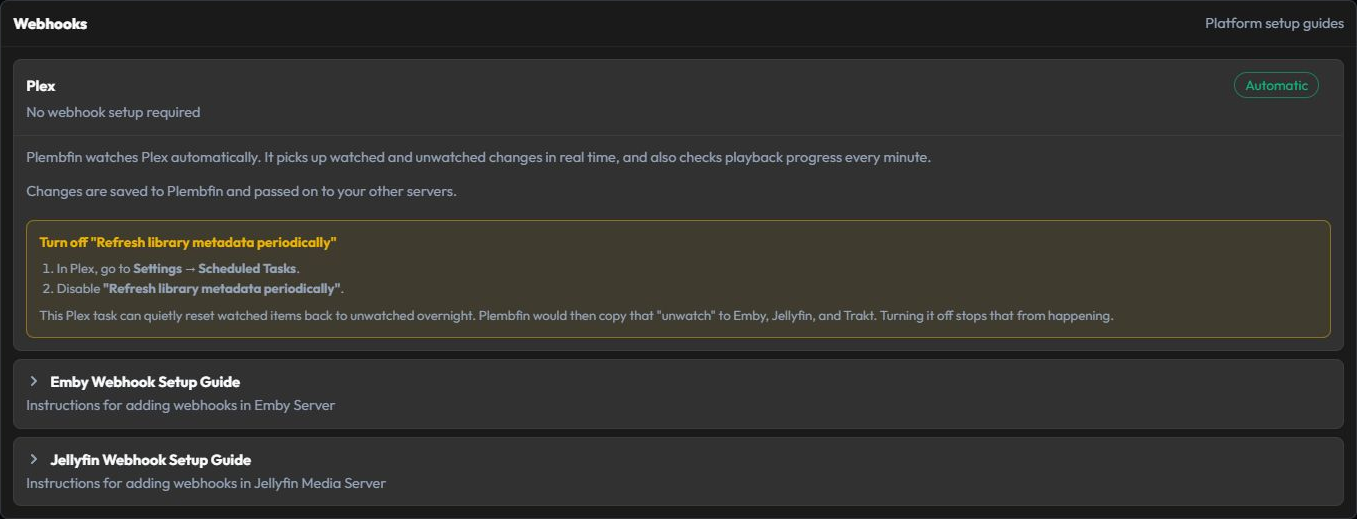
Plex can be observed through its built-in notification listener and scheduled checks.
Emby and Jellyfin use webhooks with scheduled polling as a backstop.
The scheduler also handles active sessions, catch-up scans, metadata maintenance, and backups.
Webhook delivery is fast but depends on the sender’s URL and secret being correct.
Polling is slower but can recover changes when a webhook was offline.
For this reason, a healthy setup normally uses both the event path and the scheduled backstop.
Read Sync Activity
Sync Activity is the operational view for the model.
Use it when you need to answer “what happened?” rather than just “is the app connected?” Each row is grouped by movie or show and can show:
- the media item and action;
- the source platform and time;
- the destinations that were selected;
- success, skipped, partial, or failed results;
- the reason a destination was skipped or failed; and
- a retry or log action when one is available.
Expand a group to load every resume checkpoint and target result inline. The failed-count summary pill filters the current page to groups with failed results, Retry all failed operates across the full history as a background job, and Download all logs exports the expanded group’s events as one local text file.
The sidebar Sync indicator is a summary.
Use Sync Activity or Settings → Logs for the detailed explanation.
A skipped result usually means there was no matching item or the destination was not in
scope.
Check Settings → Sync → Sync Issues and Match Report for matching and scope details.
A failed result means the request or provider operation did not complete.
Check Settings → Connections, Settings → Metadata, and Settings → Logs for the relevant connection, provider, and error.
Quick links:
Important boundaries
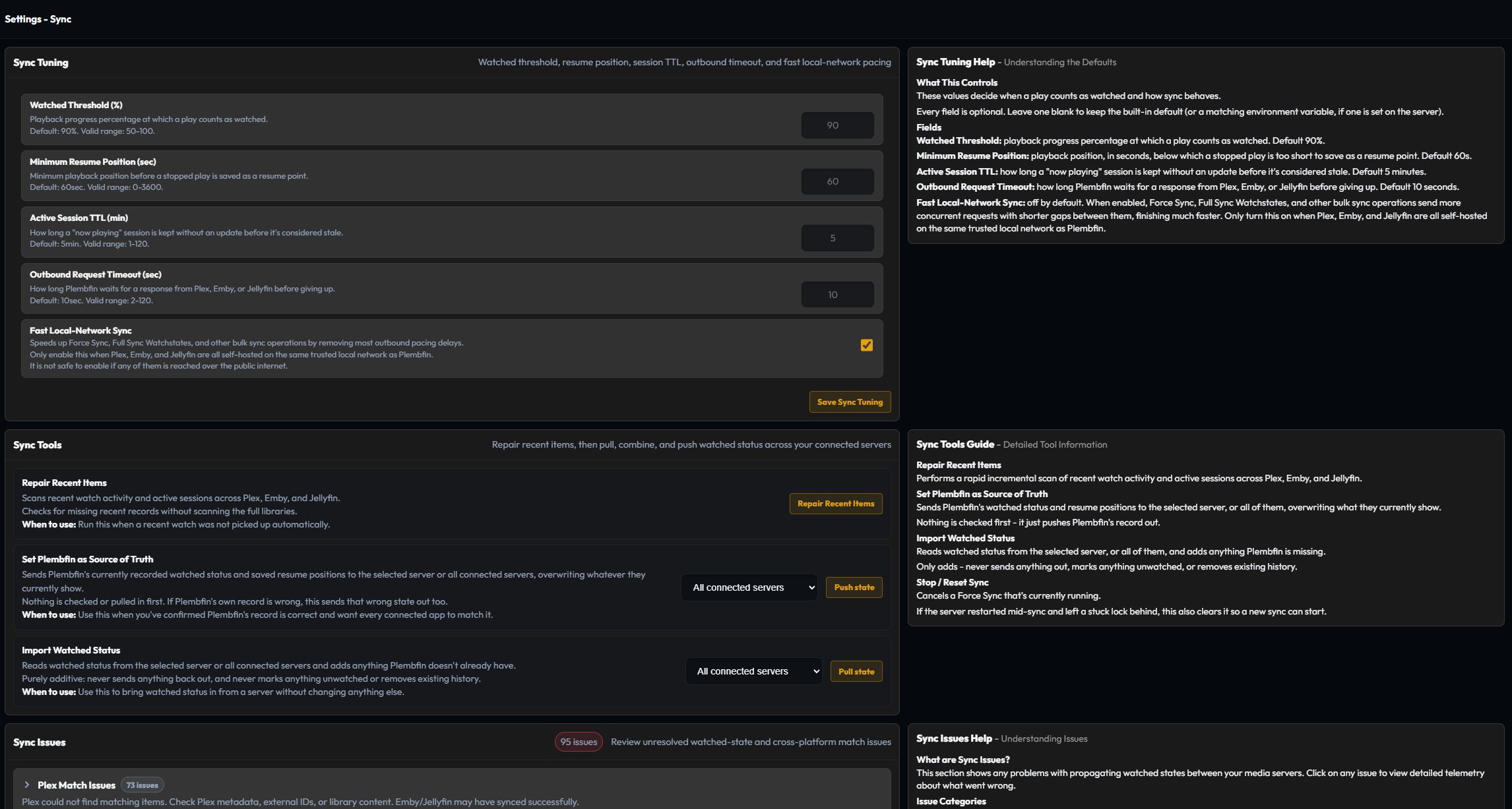
- The server running Plembfin must reach the media-server URLs. Browser reachability alone is not enough.
- Webhook URLs need the full secret token or an accepted authentication header.
- A local Plembfin backup protects Plembfin’s archive; it is not a replacement for each media server’s own database backup.
- Disable Emby or Jellyfin Trakt plugins when Plembfin is the Trakt bridge. Two writers can reintroduce stale state or create loops.
- Metadata and artwork failures should not erase the local watch archive; they affect enrichment and presentation rather than the canonical event record.
Start with installation and first-run setup or choose a daily app guide.