
Connections contains optional services that extend the local archive without replacing a media server connection.
Trakt
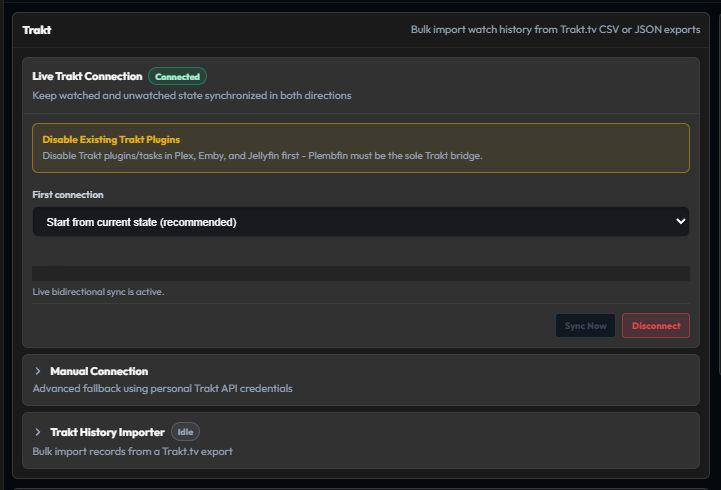
Trakt is an optional watch-history connection. The normal flow asks for an initial-sync policy, then displays a Trakt authorization code.
- Choose the initial import policy shown by the app.
- Complete the displayed authorization flow.
- Wait for the connection status to become healthy.
- Review the initial import in Sync Activity and History.
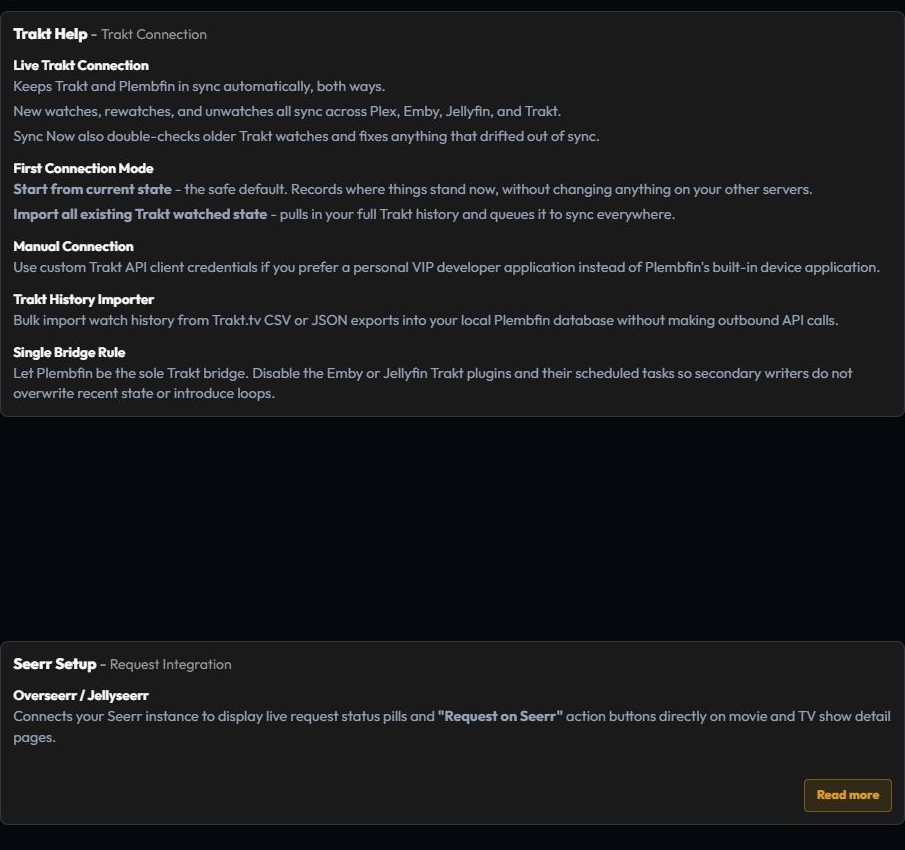
Plembfin checks the Trakt watched snapshot regularly. Added watches, changed watch dates, and removals enter the same synchronization pipeline as media-server events.
Plembfin should be the only Trakt bridge. Disable Emby and Jellyfin Trakt plugins and scheduled Trakt tasks so a second writer cannot reapply old state.
Seerr

Seerr is optional and adds request and availability context to media detail pages. It does not replace a Plex, Emby, or Jellyfin connection.
Configure the Seerr server URL and credentials, save, and test the connection. When it is connected, detail pages can show availability and request actions, including season and optional 4K requests where the server exposes them.