
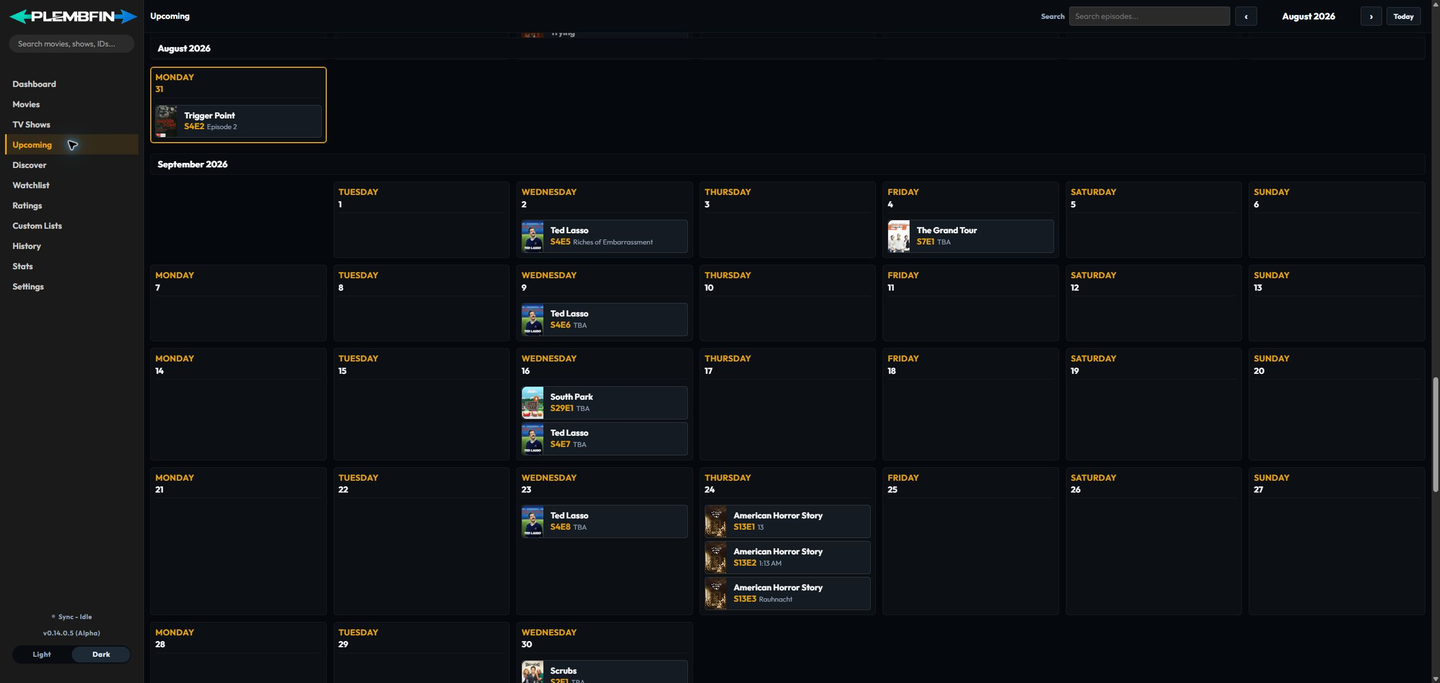
Upcoming is a calendar of historical and future episode air dates for tracked shows. Air dates are metadata: viewing an entry does not mark an episode watched.
Use Up Next on the Dashboard when you want a short list of released, unwatched episodes that are ready to start. Upcoming remains the broader calendar view.
Use the calendar
- Open Upcoming.
- Use Previous month, Next month, or Today to move through the calendar.
- Scroll to load adjacent months.
- Enter a show, episode title, or episode code such as
S2E4in the search field. - Select an episode when you need to open its show context.
The calendar uses TheTVDB-backed season and episode structure. Cached months open quickly, while revalidation can refresh changed air dates in the background.
What Upcoming does not change
Upcoming does not create a watch event, change watched state, or update resume progress. Use the episode or show detail actions when you want to make a watch-state correction.